
3.11 Organize work experience automatically
Auto Dream turns a colleague's work records into daily summaries and automatically saves reusable experience. You can inspect the evidence and withdraw memories that no longer apply. You do not need to approve each memory before it takes effect.
When it runs
Open Auto Dream in Settings to view its switch, generation time, and time zone. The defaults shown are daily at 23:30 in Asia/Singapore. Existing schedules use their saved values.
Colleagues and their corresponding summary schedules must exist before the switch and time settings are available. If the page says a colleague has no schedule, follow the prompt to open that colleague and check.
The local service must be running. Summaries cannot be generated while the computer is asleep or shut down, or after the service exits.
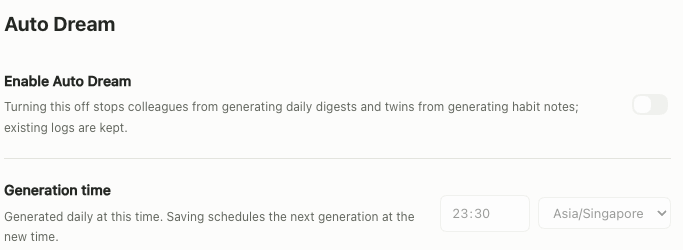
English interface showing the Auto Dream controls. They are disabled here because summary schedules are missing. In the app, follow the page prompt to open the affected colleague, pause it, and return it to active status to create the schedule. Then set the switch, time, and time zone.
View summaries and memories
- Open Auto Dream settings to review recent records and generation status.
- Open the relevant colleague to view daily summaries and the linked work evidence.
- Review automatically saved experience and its sources. Withdraw anything that does not apply.
Without enough work evidence, do not expect Auto Dream to generate experience from nothing.
How saved experience is used
In later tasks, a colleague can refer to active role memories whose sources remain valid and whose business scope matches the task. Saving a memory does not mean every colleague or conversation will use it.
The current implementation selects the most recent eligible role memories, up to 30 per run. They provide context to the model; they do not guarantee the same judgment every time.
Withdraw a memory
Open the colleague's memories, check the source, and withdraw the memory. A withdrawn memory should not become active again when the same source is retried.
Withdrawal affects future use. It does not rewrite completed task results. Content whose source is no longer valid should also stop being used as valid evidence.
Colleague memories and your digital twin
| Content | Purpose | Current boundary |
|---|---|---|
| Colleague role memories | Save reusable experience for that role | Available to later tasks according to source, status, and business scope |
| Digital twin habit observations | Capture personal judgments and preferences from your actions | Automatically saved as private samples; not yet automatically added to later ordinary conversations |
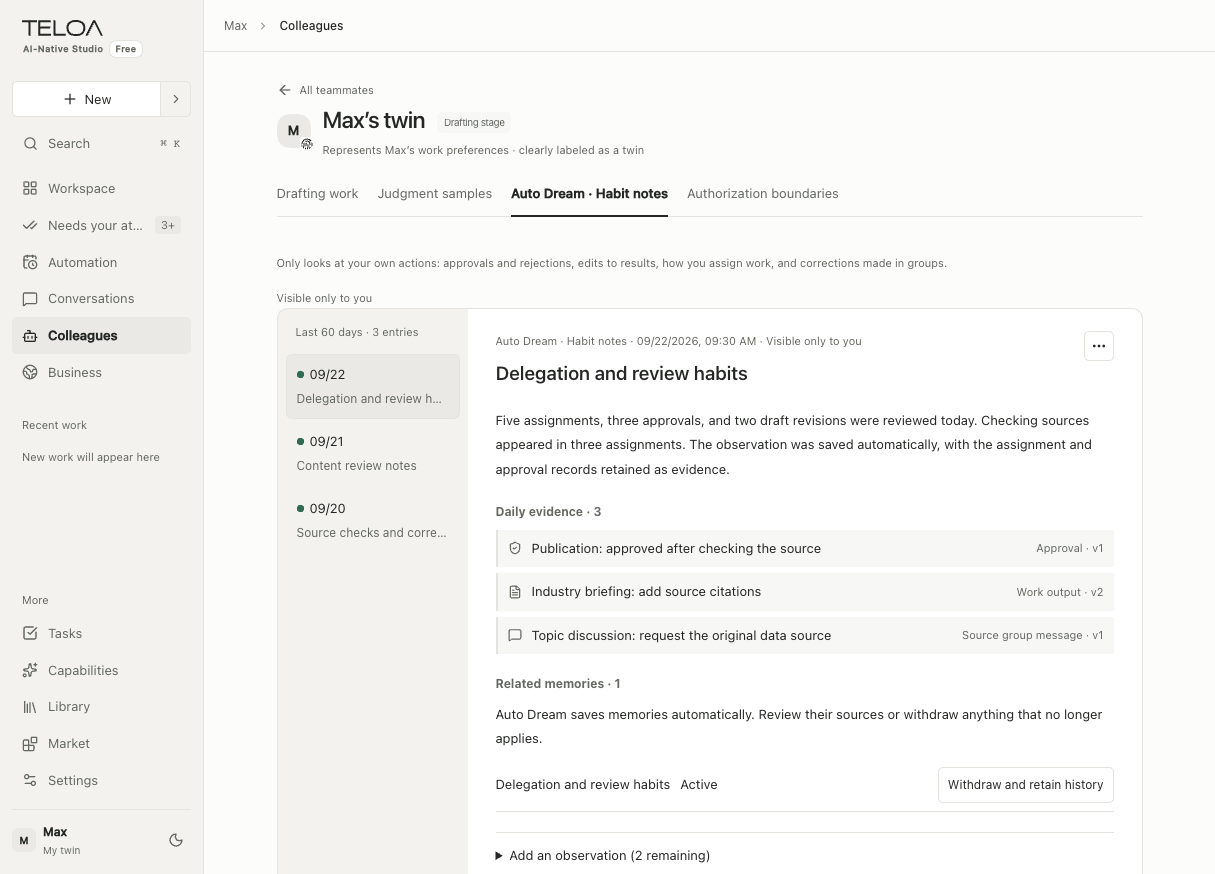
English interface with sample data. This is the digital twin's Auto Dream habit-observation tab. Select a date on the left; inspect the daily evidence, related memory, and withdrawal entry on the right.
Here, “distilling experience” means organizing it into configuration, skills, or memories. It does not involve training model weights.
Troubleshoot missing summaries
| Symptom | What to check |
|---|---|
| The switch is unavailable | Whether colleagues and their summary schedules exist |
| Nothing was generated at the scheduled time | Whether the service was running, the schedule was enabled, and the time and time zone were correct |
| No evidence is available | Whether there were work records to summarize that day |
| A saved memory was not used | Whether it was withdrawn, its source is valid, and the task's business scope matches |
| The digital twin did not affect the next chat | Private samples are not yet automatically added to ordinary conversations; this is a known boundary |
Before triggering generation again, review existing summaries and run results. Distinguish missing evidence from generation failures and page loading failures.