
3.4 Create and manage AI colleagues
Manage your AI colleagues on the Colleagues page. Before creating one, define what it is responsible for, what it should deliver, and what it must not do on its own.
Create a role
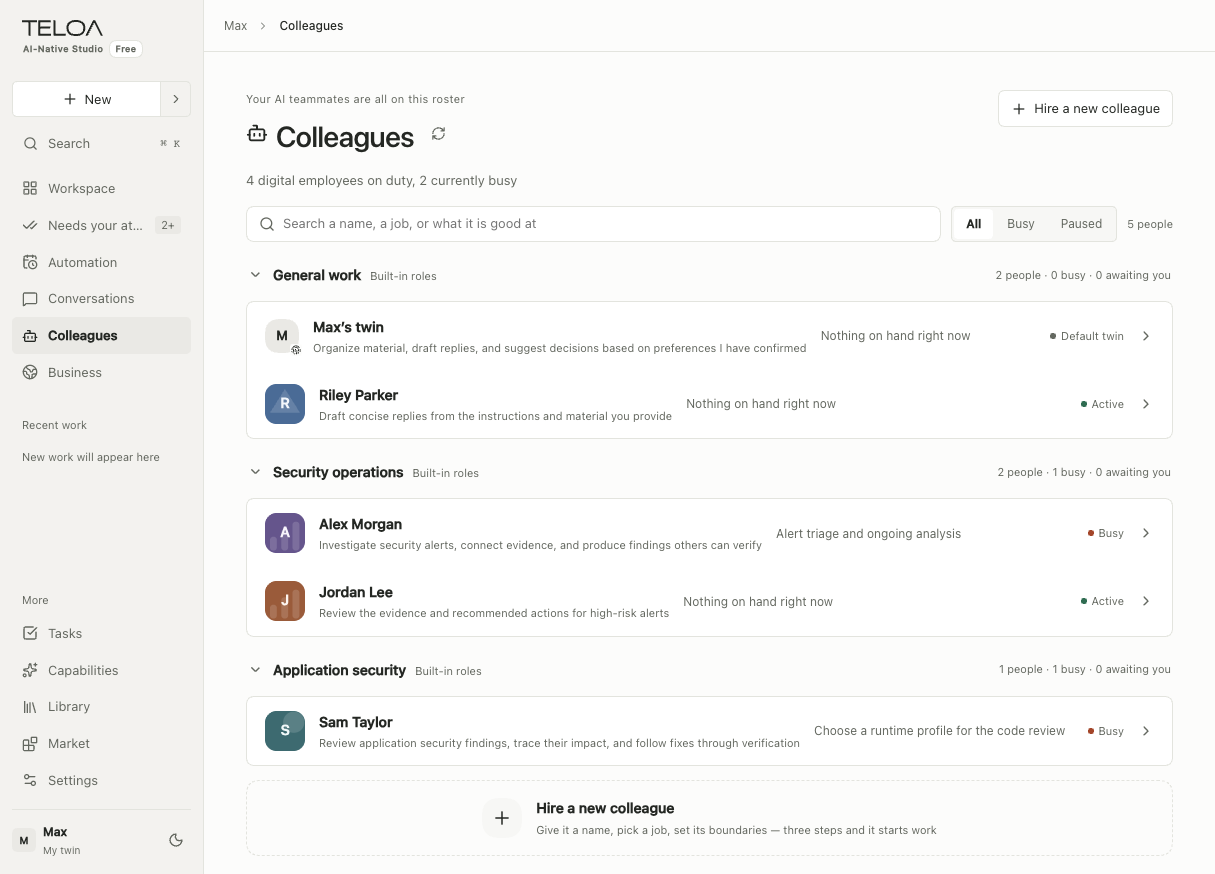
English interface with sample data. The upper-right button starts the new colleague flow; the right side of each row shows the colleague's current status.
Start the new colleague flow, enter a name and responsibilities, choose the business scope, and review the generated or manually entered role definition. For a research role, you could use:
Organize the public materials I provide and produce a summary with sources.
Distinguish facts from inferences. List open questions where evidence is missing.
Do not send messages, publish content, or modify external systems.
New roles you create directly start active. Colleagues created from industry resource packages start paused. Review their resources and permissions before making them active.
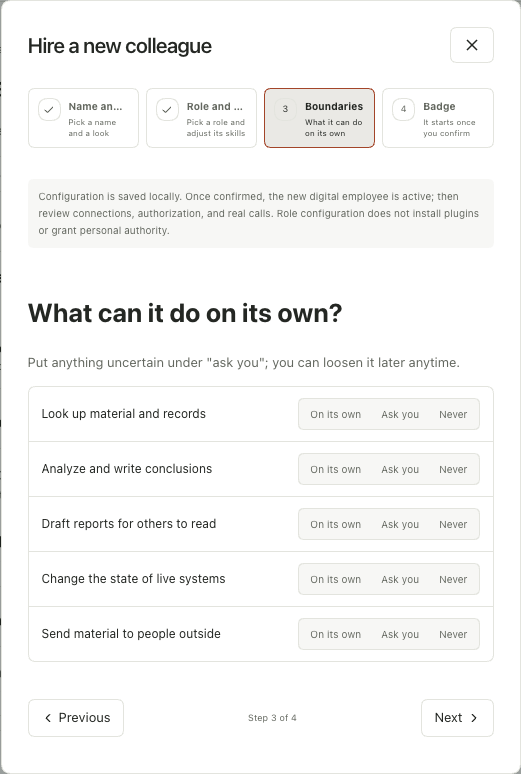
English interface. Choose whether each action can run independently, needs your confirmation, or is prohibited. Check actual tool and knowledge permissions separately.
Link capabilities and materials
Open the colleague's details and check ongoing work first. Pause the colleague before changing its role definition or tool permissions. A paused colleague does not prove that all tasks already in progress have stopped.
Configure the required skills, materials, and tools. A visible resource may not yet be linked, and a linked resource may not have execution permission. Check each item using the feedback on the page, then resume the colleague.
Activate, pause, and retire
| Action | When to use it |
|---|---|
| Make active again | Configuration has been verified and the colleague may receive new work |
| Pause | Temporarily stop accepting work, or adjust the role and its tool configuration |
| Retire | Stop using the role; first check related work and the guidance on the page |
After saving, test with a small task that does not write to an external system. If it fails, check the runtime configuration, material scope, and tool permissions. Granting every permission is not a general fix.