
3.7 Business areas and boards
A business area brings related work and resources together, such as content operations, market research, or security operations. General work is for work without a dedicated business area.
Create a business area
On the Business page, use the option to add a business area. Enter a clear display name and an English scope identifier that meets the page's requirements. The display name is for people to read; the scope identifier links resources and should remain stable.
You can create a business area locally without first importing a Market resource package. Add colleagues, materials, and connections as needed. An empty board is normal when no input source is available.
What a business area contains
| Category | Purpose |
|---|---|
| AI colleagues | Carry out role responsibilities |
| Skills | Provide reusable methods |
| Reference materials | Supply factual material for tasks |
| Connections | Connect data and tools |
| Business boards | Track records and their status |
| Task templates | Reuse task requirements |
| Extensions | Provide supported extension capabilities |
The Business and Capabilities pages show the status of related resources. Follow each status to the relevant configuration page. A resource count alone does not show that the resources are ready to run.
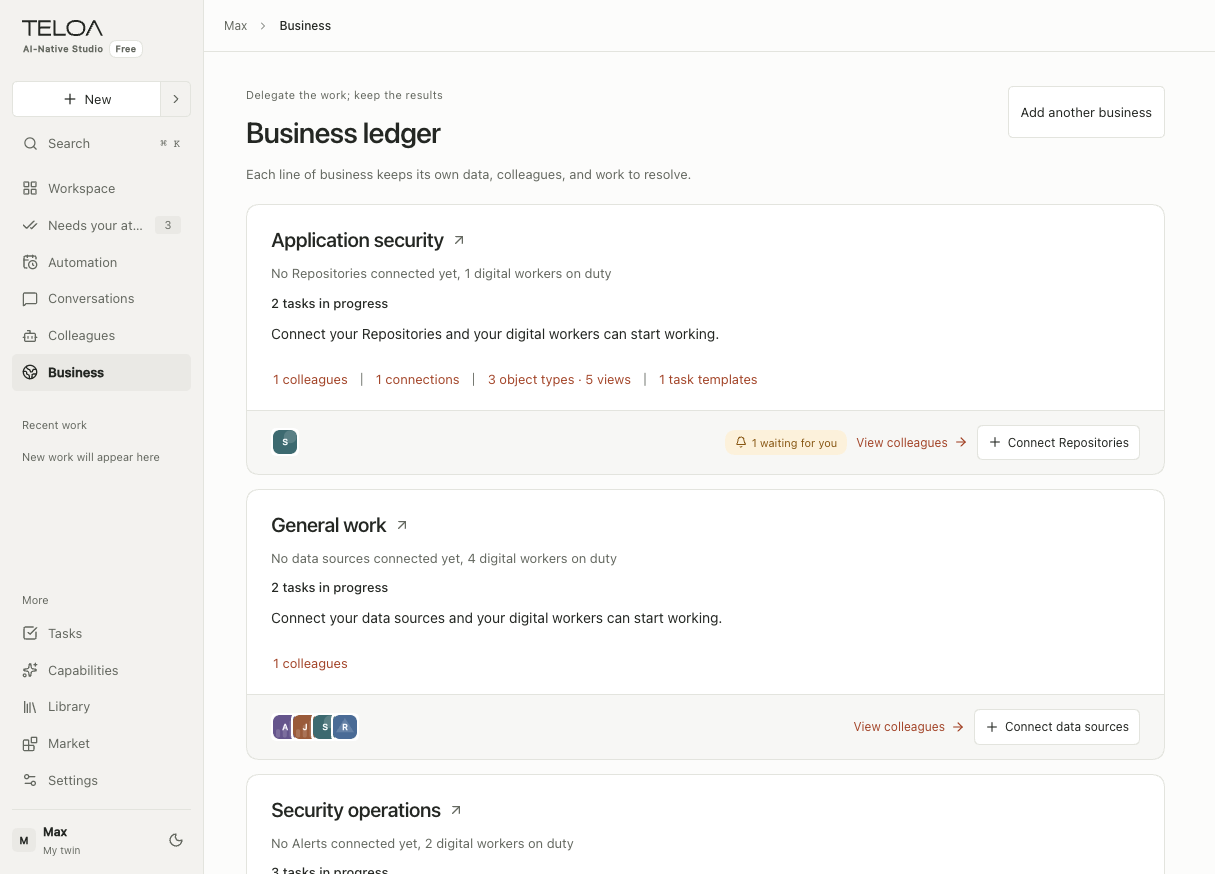
English interface with sample data. Each business card summarizes its colleagues and resources and identifies missing data connections. Open a business by selecting its name.
Use a board
Business boards depend on defined record types and data. Open a record, check its source and current status, then start the relevant work. If the business definition does not declare a record type, do not expect the system to generate fields that fit every industry.
A board record is neither a group message nor a task. Use the linking options in the interface to maintain these relationships. Changing a status does not mean the corresponding business action has been completed.